How to merge calendars in Outlook
Two Outlook calendars, one of you. Outlook can show them as one schedule, but it can't merge them, and neither calendar knows the other is busy. Here's what each option actually does.
Steps checked November 11, 2026 on Outlook on the web (Outlook.com).
Short answer: Outlook can't merge two calendars into one. It can overlay them, showing both in one view, which is often all people mean by "merge". You can also move or copy events from one calendar to another, which is fine for a one-off cleanup. If you need each calendar to block time on the other, for example two jobs in two Microsoft 365 organizations, you need to sync them.
| You want to… | Use | Changes the calendars? |
|---|---|---|
| See everything in one view | Overlay | No |
| Combine an old calendar into your main one, once | Move or copy events | Yes, once |
| Have each calendar show you busy when the other is | Sync | Yes, continuously |
Overlay view
Outlook shows every calendar you've ticked in one grid. In Outlook on the web and new Outlook for Windows that's the default.
- Open the calendar.
- In the left pane, tick each calendar you want to see. Calendars from other accounts you've added appear under their own headings.
- If the calendars appear in separate columns, turn off Split view on the Home tab.
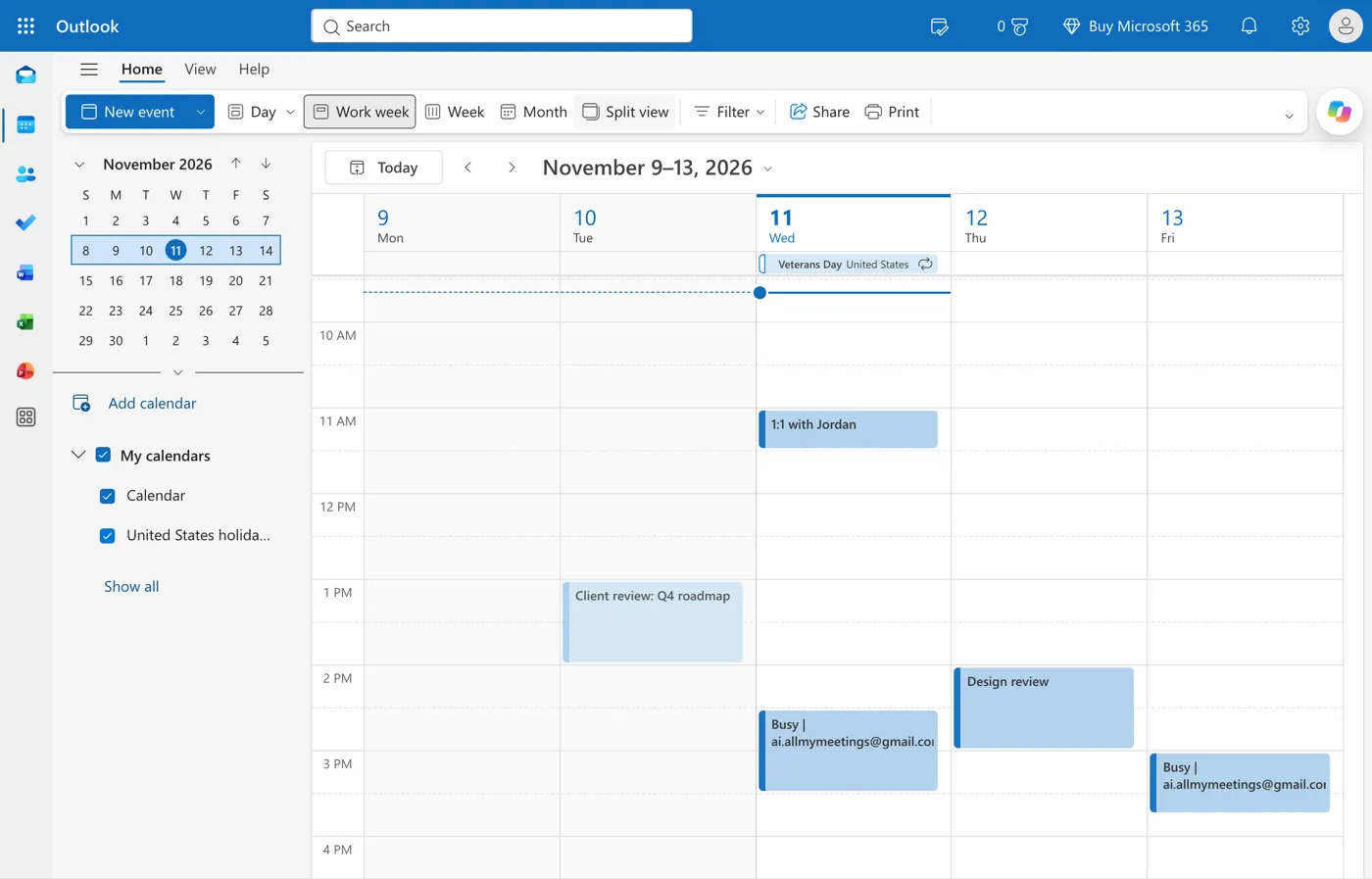
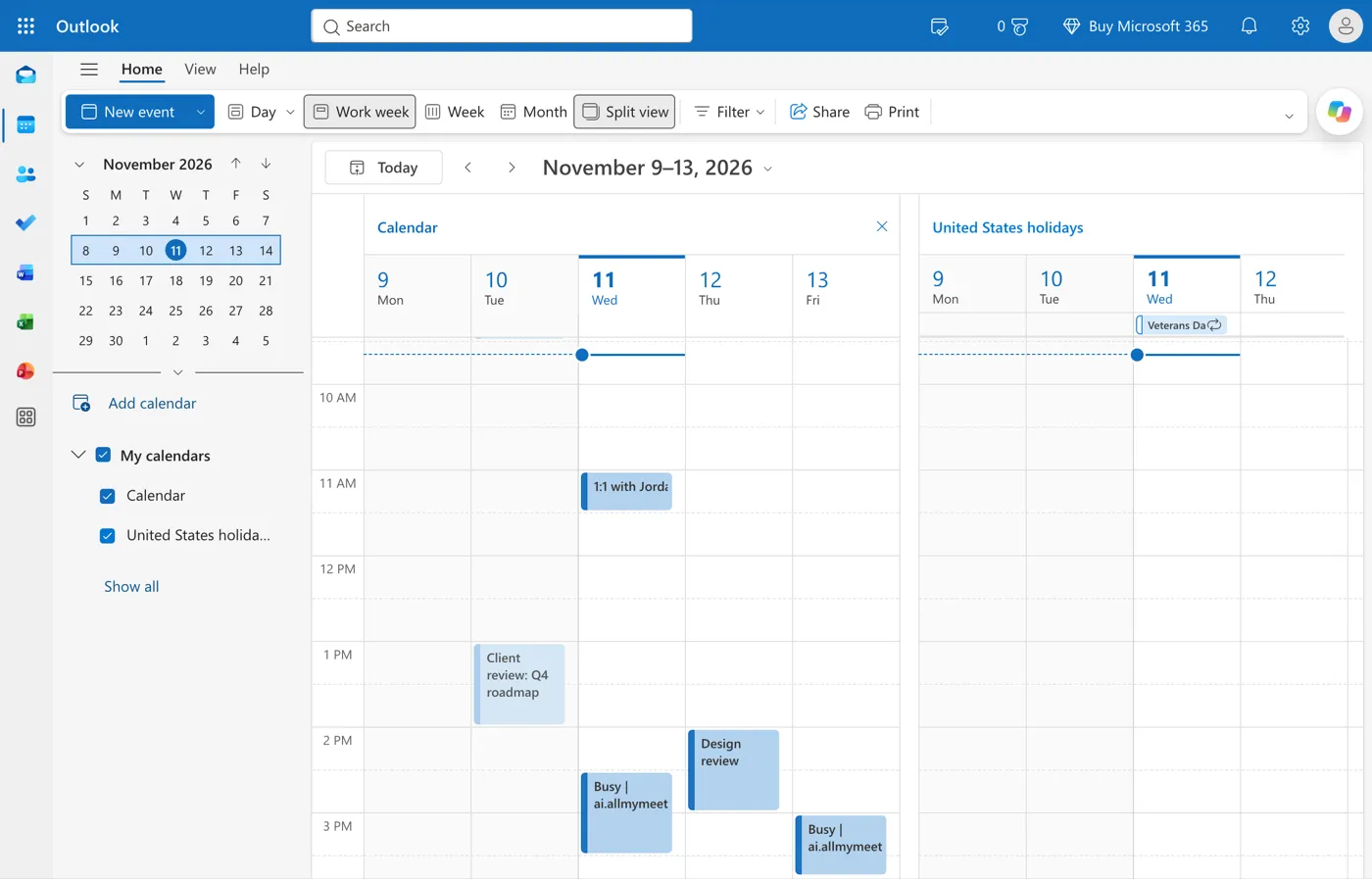
In classic Outlook for Windows, ticking a second calendar opens it side by side. Click the small arrow on the second calendar's tab, View in Overlay Mode, to stack them. Give each calendar a different color so you can still tell them apart.
Overlay is only a view. Nothing is copied, so each calendar's free/busy, the Scheduling Assistant and any booking page connected to it still see only that calendar.
Move or copy events
For a one-time consolidation, such as folding an old project calendar into your main one, move the events across and then delete the old calendar.
In Outlook on the web and new Outlook: open the event, choose Edit, then the Duplicate event button in the toolbar. The copy opens as a new event with a calendar menu at the top. Pick the destination calendar, select Save, then delete the original. It works one event at a time, so it suits a handful of events, not hundreds.
In classic Outlook for Windows: open both calendars side by side and drag events from one to the other. To move a whole calendar, export it with File, Open & Export, Import/Export, then import the file into the destination calendar.
Watch out for meetings someone else organized. A copy of a meeting isn't connected to the original invitation, so it won't update when the organizer changes it. Keep those on the calendar where you received them.
Two Microsoft 365 tenants (consultants)
This is the case that sends most people looking for "merge". You work with two or more organizations, each with its own Microsoft 365 account, and each has its own Outlook calendar. Client A books you on Tuesday at 2. Client B can't see that, sees you free at 2, and books you too.
What helps, and what doesn't:
- Add both accounts to Outlook. New Outlook for Windows and Outlook for Mac can hold several accounts, so you see both calendars together. That fixes your view, not theirs.
- Share calendars across tenants. Each organization would have to allow external sharing, and each client would see the other's meeting titles unless you limit sharing to free/busy. Many tenants don't allow it at all.
- Forward invitations. Copying meetings into the other tenant manually works until someone moves a meeting, and it puts one client's meeting details in another client's system.
- Sync as Busy blocks. A sync tool reads each calendar and writes a plain "Busy" block on the others. Every client sees you as busy at the right times, and none of them sees anyone else's meeting titles.
Each Microsoft 365 tenant decides whether its users can connect third-party apps. If a client's tenant requires admin approval, the Outlook calendar sync page explains what the request asks for. The consultants and freelancers page covers the multi-client setup in more detail.
Keep two Outlook calendars in sync
Sync two Outlook calendars free. AllMyMeetings connects to each Microsoft account through Microsoft Graph and copies events between the calendars you choose:
- Connect both Outlook or Microsoft 365 accounts. Personal Outlook.com accounts work too.
- Create a sync pair between the two calendars, one-way or two-way.
- Choose a mode. Free/Busy copies only a "Busy" block, which is what you want between two employers or clients. Full Details copies titles and locations, which suits two calendars that are both yours.
Microsoft notifies AllMyMeetings as soon as an event changes, so copies usually appear within seconds. Copies never carry attendees, so nobody gets an invitation, and a hidden marker on each copy stops it being synced back. With three or more tenants, add a pair for each direction you need.
The free plan includes two calendar accounts and one one-way Free/Busy sync. Two-way sync and more pairs are on Pro at $5 a month.
Frequently asked questions
Can I merge two Outlook accounts?
Not into one account. Outlook can show both accounts' calendars in one view, and you can move individual events from one to the other, but each account keeps its own calendar and its own availability. To make each calendar show you as busy when the other is, copy events between them with a sync, ideally as Busy blocks so neither employer sees the other's meeting titles.
Will overlaying calendars stop double-booking?
No. Overlay only changes what you see. People booking you through either account still see only that account's calendar, so they can book over meetings that exist on the other one. Only events copied onto the calendar itself block time for other people.
Does syncing two Outlook calendars create duplicates?
Not with a tool that marks its copies. AllMyMeetings writes a hidden marker on every copy naming the original event, so a copy is never synced back and two-way sync doesn't loop. Duplicates usually come from running two methods at once, such as a sync plus manually copied events or a calendar subscription.
Start with AllMyMeetings for free and have each Outlook calendar block time on the other.
Ready to sync your calendars?
AllMyMeetings keeps Google, Outlook, and iCloud calendars in sync automatically. No card: your 14-day Pro trial starts when you connect your first calendar, and the free plan stays free after.
Get started for free